

Customers may sometimes see a GNSS position appear several meters away from the expected place on a map. This can happen with many GNSS receivers, not only with one specific model. In this article, the P-70 is used as a practical example to explain the issue, but the same mapping and positioning concepts apply broadly to GNSS receivers in general.
This issue is not limited to standalone, non-RTK positioning. RTK greatly improves the receiver’s absolute positioning accuracy, but it cannot make an inaccurate or shifted map layer become accurate. If the satellite image, road layer, or map source has its own offset, an accurate RTK position may still appear not to line up perfectly with the map.
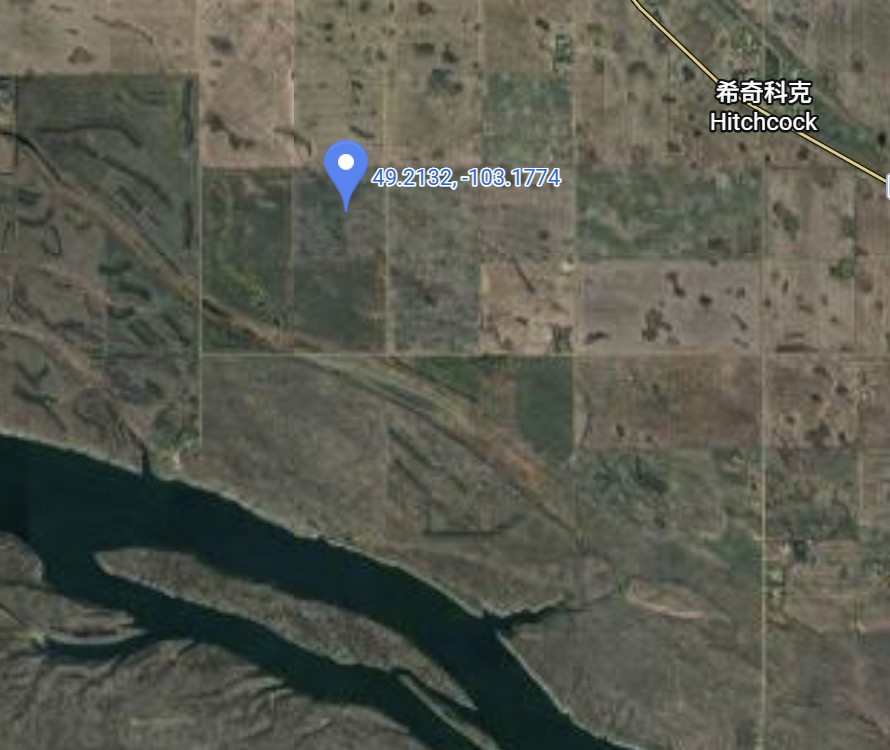
In one recent case, a user in southeastern Saskatchewan, Canada, reported that the displayed position from a GNSS receiver appeared to drift or shift by roughly 10 to 20 meters when compared with a map and another receiver. The test area was near Estevan, Saskatchewan, at an elevation of about 600 meters.
Two different issues can affect this type of comparison:
- The map image itself may not be perfectly aligned with the true ground position. This can affect both standalone and RTK users when they compare a GNSS point visually against a map.
- A standalone, non-RTK GNSS position may also have an overall position offset, even when the relative movement inside the track looks stable.
No Map Is Perfectly Accurate
The customer-provided test area is in southern Canada, in the southeast part of Saskatchewan. After locating the area on the map, we could see that there were not many clear road features or fixed reference points inside the exact test field. Therefore, the road on the right side of the area was used as a reference point.
.png)
When we zoomed in on this reference area, the same road did not line up perfectly across different maps. Google Satellite, Google Maps, ArcGIS Satellite, OpenStreetMap, and other map sources can all show slightly different offsets.
.gif)
This does not necessarily mean the GNSS receiver is wrong. Satellite imagery is not always captured from directly above the ground. The image may be taken at an angle and then processed into a map layer. This can create projection or orthorectification errors. In our experience, this type of visible map offset can be more noticeable in areas with elevation changes or when comparing features from different imagery sources.
In this example, two points that appear to refer to the same road location on different map layers were measured as being about 15 meters apart.
.png)
Important: If two map layers disagree by this much, then comparing a GNSS receiver against only one visual map layer can be misleading.
Projection Error: A Rooftop Example
Here is a more intuitive example from a P-70 user. The user tested from the center of a rooftop on a building about 10 stories high. On the satellite image, the reported GNSS point appeared toward the upper-right side of the roof, so the user thought the receiver was wrong.
However, after marking the approximate base of the building, the GNSS result made sense. The roof image was shifted because of the viewing angle of the satellite image. The GNSS receiver was reporting the real ground-referenced position, while the rooftop in the image was visually displaced.
.png)
This is a classic map projection or imagery offset problem. The higher the object or terrain feature is, the easier it is to see this effect.
Comparing with Another GNSS Receiver
In the Saskatchewan case, the customer also compared the receiver with a John Deere StarFire 3000 receiver operating with SF2, not RTK.
This kind of comparison must be handled carefully. If the two systems are being viewed on different map layers or different software platforms, the comparison may be affected by the map itself. A point that looks accurate on Google Satellite may appear shifted in OpenStreetMap, or the same track may appear to move as a whole when viewed on another map source.
Even on the same map, if two standalone non-RTK receivers show different absolute positions, that alone does not prove which receiver is more accurate. The map has its own error, and each standalone GNSS solution can also have its own absolute position offset.
Standalone GNSS Can Add Its Own Position Offset
Another possible source of error is position offset in standalone, non-RTK GNSS positioning. This is separate from map offset. In other words, with standalone GNSS, the displayed mismatch may come from both the map layer and the GNSS position itself.
In many cases, the relative accuracy inside a track can still look very good. Small movements may be visible and repeatable. However, the whole track may be shifted slightly in one direction compared with the map.
This is especially important at low speed. When a vehicle is moving slowly, such as below 5 mph, the position may appear to float, hunt, or shift around more visibly on the screen. That behavior does not always mean the receiver hardware is defective. It can be the combined result of standalone GNSS accuracy limits, signal environment, filtering, the app being used, and the map layer used for visual comparison.
How to Reduce the Visible Offset
The best solution for GNSS accuracy is to use RTK positioning whenever possible. In RTK mode, with a reliable correction source and a stable reference station, absolute position accuracy is much higher and manual correction of the GNSS receiver is usually not needed.
However, RTK does not fix map errors. Even with RTK, the displayed point may still not perfectly overlap every map layer because the map layer itself may still be offset. In that situation, the RTK position may be correct, while the map image is visually shifted.
If RTK is not available and the application is using an Android device with Bluetooth GNSS, users can also apply a manual offset in the Bluetooth GNSS app. This can be useful when the goal is to make the displayed live position line up with a known local reference point on a specific map.
The practical method is:
- Place the receiver at a known reference point.
- Open the same map layer that will be used during operation.
- Compare the live GNSS position with the known reference point on that map.
- Apply latitude and longitude offsets in the Bluetooth GNSS app until the displayed position lines up with the reference point.
- Begin moving only after the offset is set.
This does not make the map absolutely correct. It simply aligns the live position to the selected map layer for that working area.
.png)
Practical Takeaways
- There is no perfectly accurate map. Satellite maps, road maps, ArcGIS layers, OpenStreetMap, and other sources can all have their own offsets.
- For the best GNSS absolute position accuracy, use RTK mode whenever possible. RTK normally provides the highest receiver-side accuracy and does not require manual position shifting, although the point may still not perfectly match every map layer.
- For standalone, non-RTK use, a manual offset in the Bluetooth GNSS app can help. Align the displayed position with a known reference point on the chosen map before starting work.
- For the most accurate repeatable track, use RTK positioning and make sure the reference station is fixed. This is the only practical way to produce a highly accurate track in absolute coordinates.
Most importantly, the issue described here is not unique to the P-70. Map offset is a general mapping issue that can affect any GNSS receiver, including RTK receivers, when the result is compared visually against a shifted map layer. Standalone, non-RTK positioning can add another layer of receiver-side position offset on top of that.